What You Need Before Filing
Before opening the IRIS return form, keep your CNIC or NTN, salary certificate, bank statements, tax deduction records, and asset details ready. Most filing mistakes happen because these records are missing.
Not registered yet? See our guide to applying for NTN/IRIS registration before starting your return.
Use your CNIC or NTN to access IRIS.
Use employer salary and tax deduction records.
Bank balance, property, vehicles, loans and expenses.
- CNIC, registered mobile number and IRIS login details.
- Salary certificate and employer tax deduction certificate.
- Bank statements for the relevant tax year.
- Withholding tax certificates from banks, vehicles, property or services.
- Asset details including cash, bank balance, property, vehicles and investments.
- Estimated household, education, utility and personal expenses.
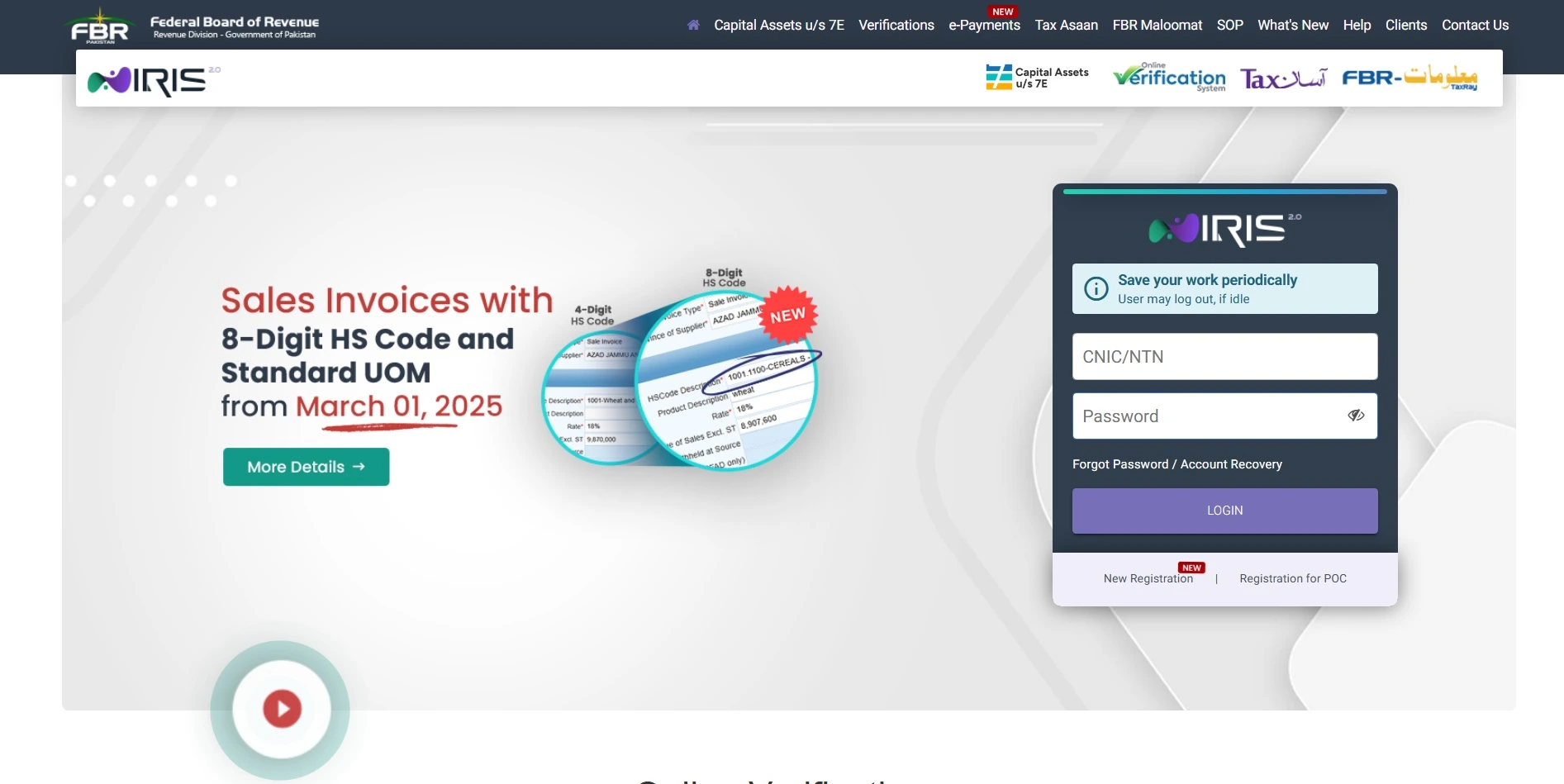
Step 1 — Login to FBR IRIS
Go to the official FBR IRIS portal and log in using your CNIC, NTN or registration number and password. If you do not remember your password, use the account recovery option on the login page.
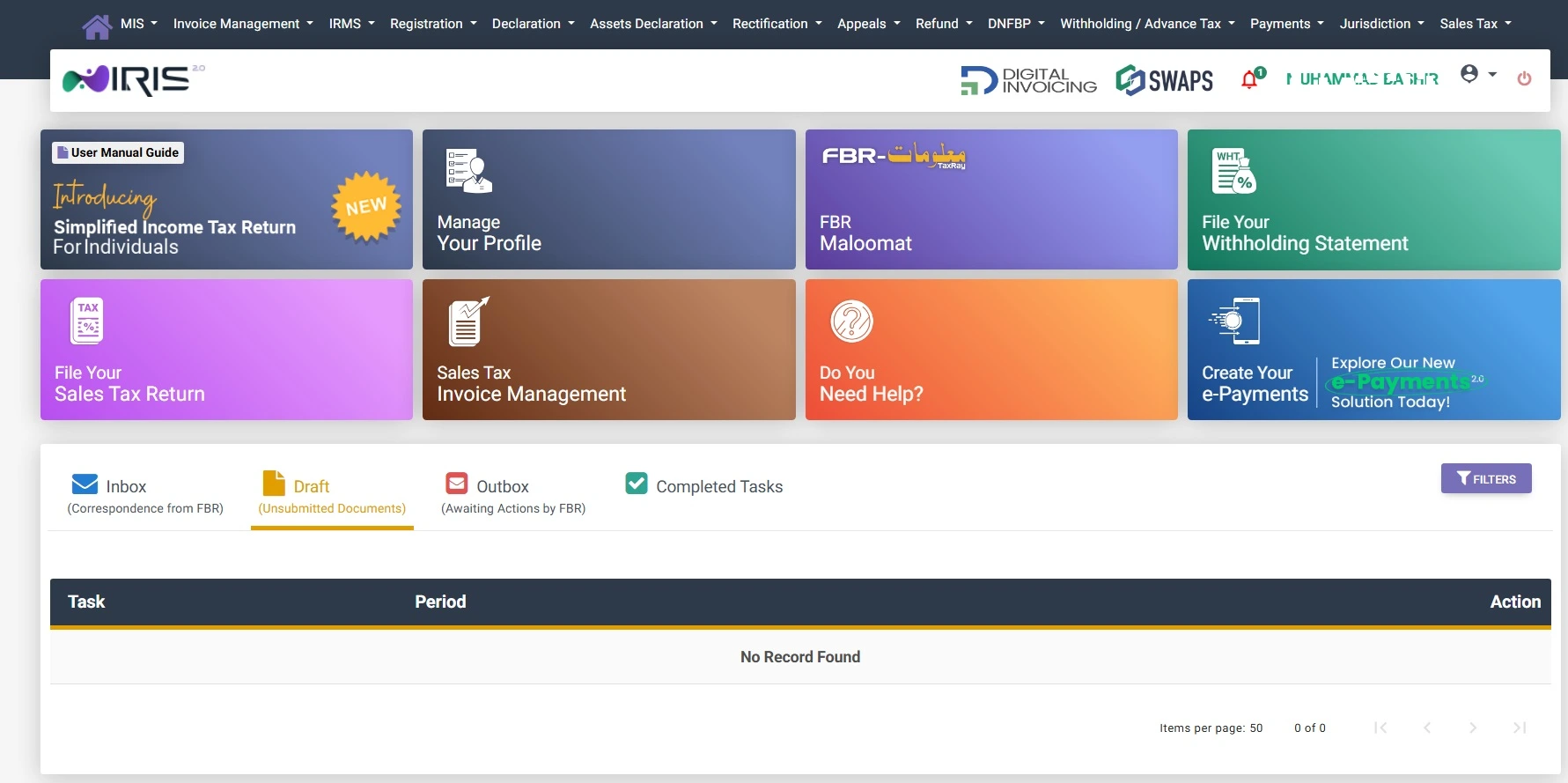
Step 2 — Open Your Tax Return
After login, open the relevant tax year's Return of Income from the declaration area. Current FBR guidance describes opening the return from Drafts, then Declaration, and selecting the applicable return and tax period. Exact menu labels can change between IRIS releases.
Step 3 — Enter Salary Income
In the income section, salaried employees usually enter salary, allowances, benefits, pension where applicable, and any exempt or separately treated income shown on their salary certificate.
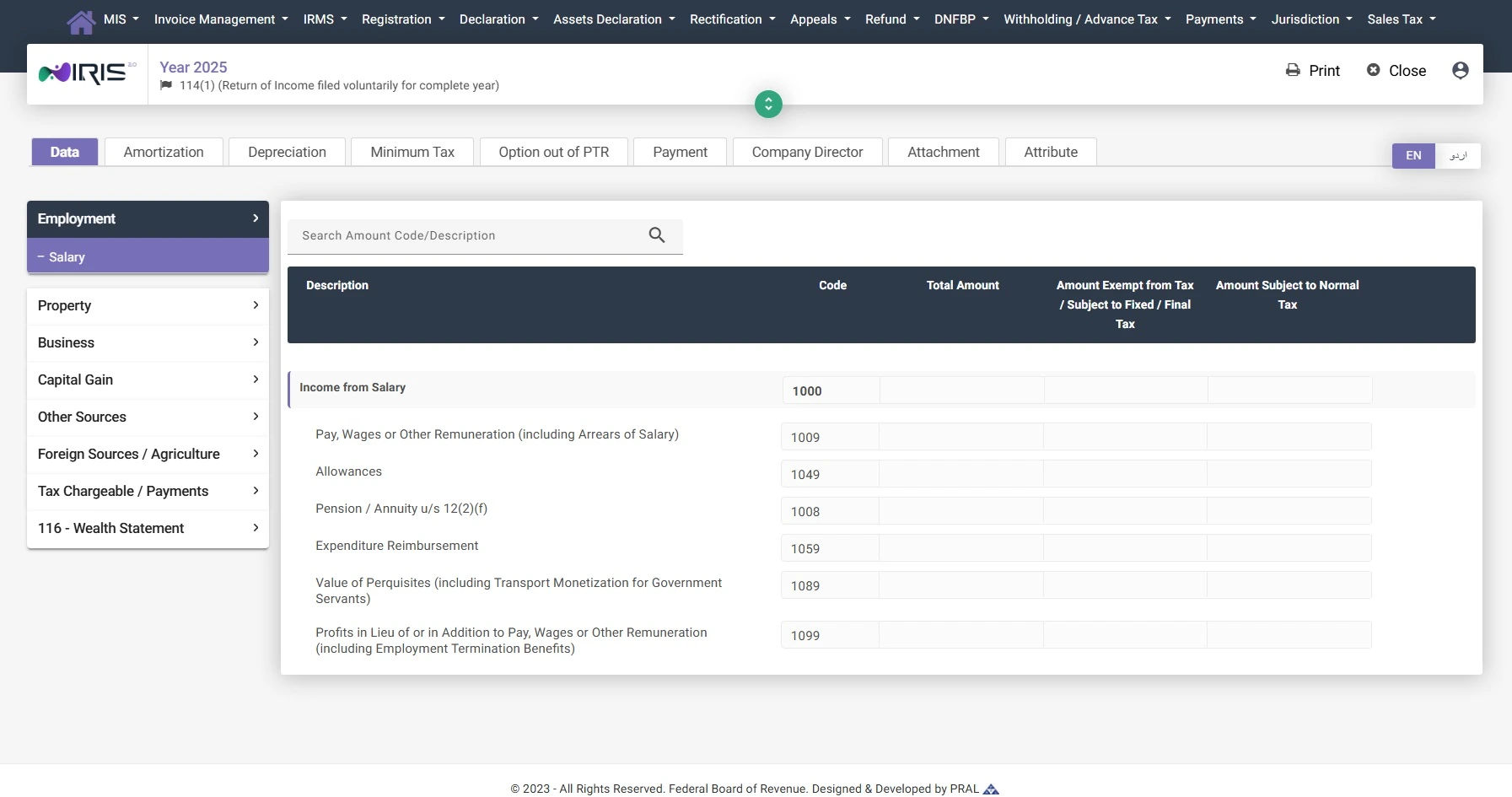
Most salaried individuals only need information already available on their annual salary certificate. Make sure the figures match the certificate issued by your employer.
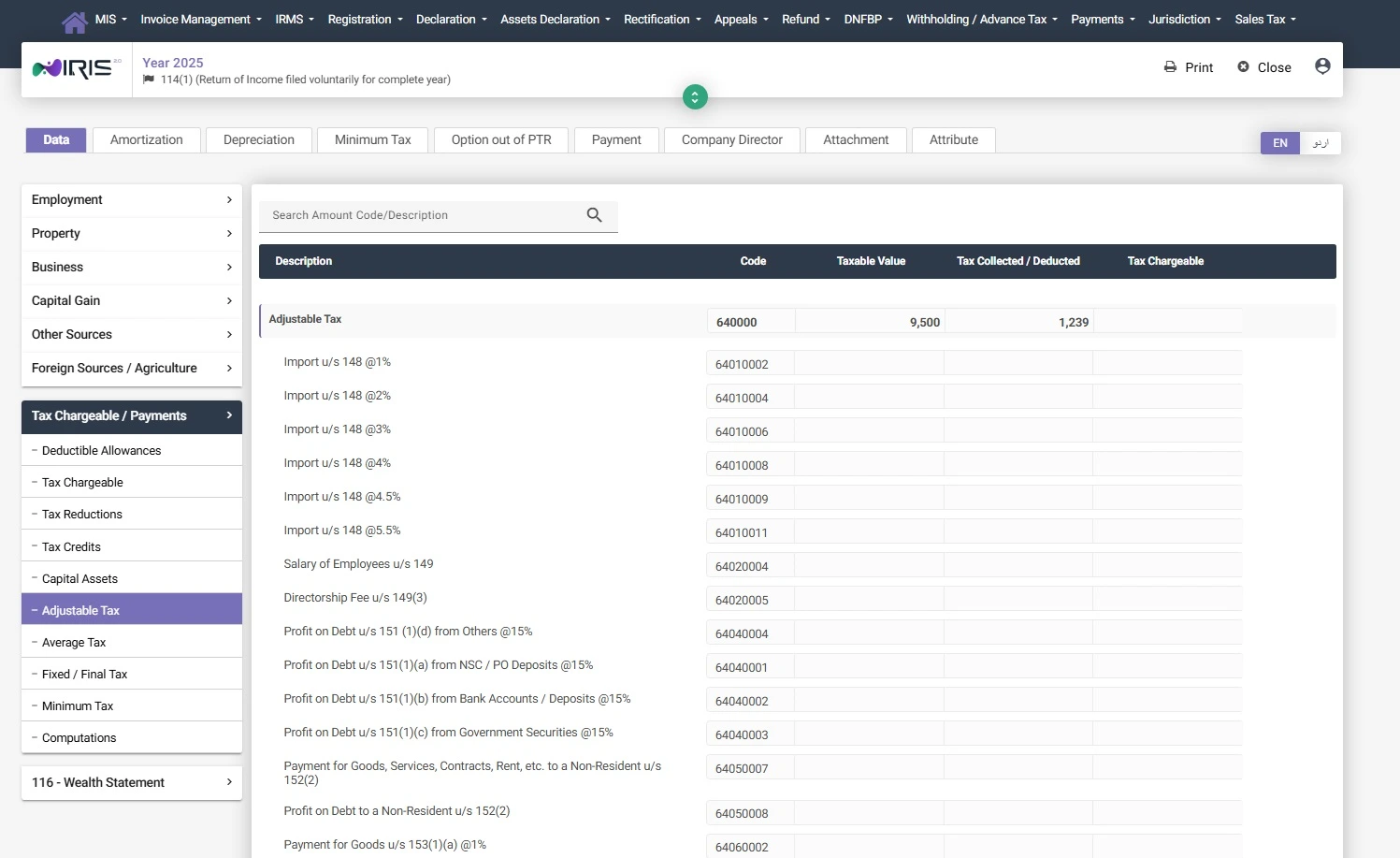
Step 4 — Add Tax Deducted or Adjustable Tax
Adjustable tax includes tax already deducted or paid during the year. This may include employer withholding tax, bank withholding tax, vehicle token tax, mobile or internet withholding, property tax, or advance tax.
Step 5 — Complete the Wealth Statement
The wealth statement explains your assets, liabilities, cash, bank balances, property, vehicles, investments and personal expenses. It helps FBR compare your declared income with your financial position.
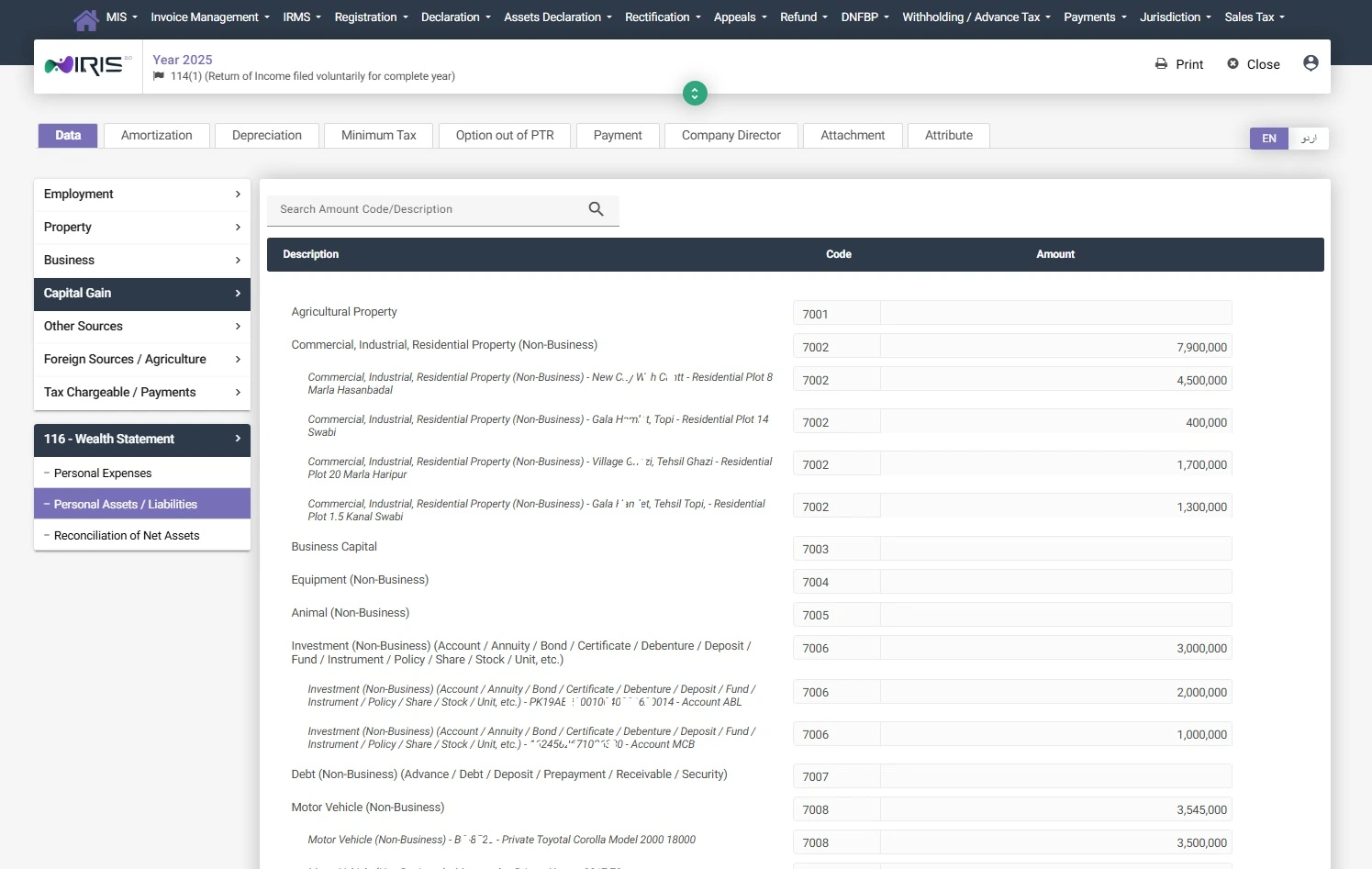
- Enter property, vehicle and investment details carefully.
- Match bank balances with your actual records.
- Include liabilities such as loans where applicable.
- Do not enter unrealistic personal expenses.
Stuck on Your Wealth Statement?
Reconciliation is where many first-time filers need help. Get guidance before submitting figures that do not match your records.
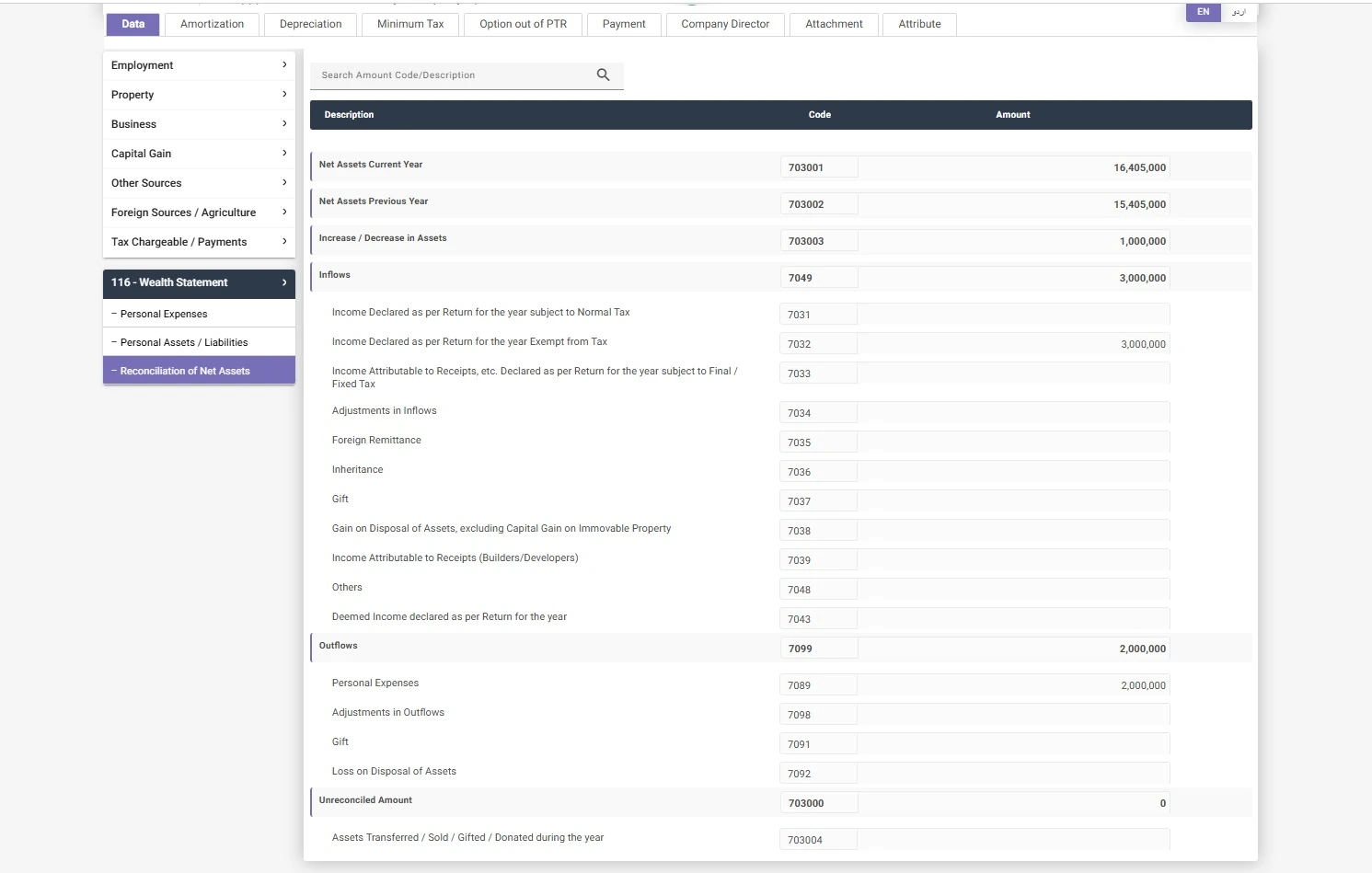
Step 6 — Reconcile Net Assets
Reconciliation is one of the most important parts of tax filing. IRIS compares your inflows, outflows, assets, liabilities and expenses to check whether the wealth statement balances.
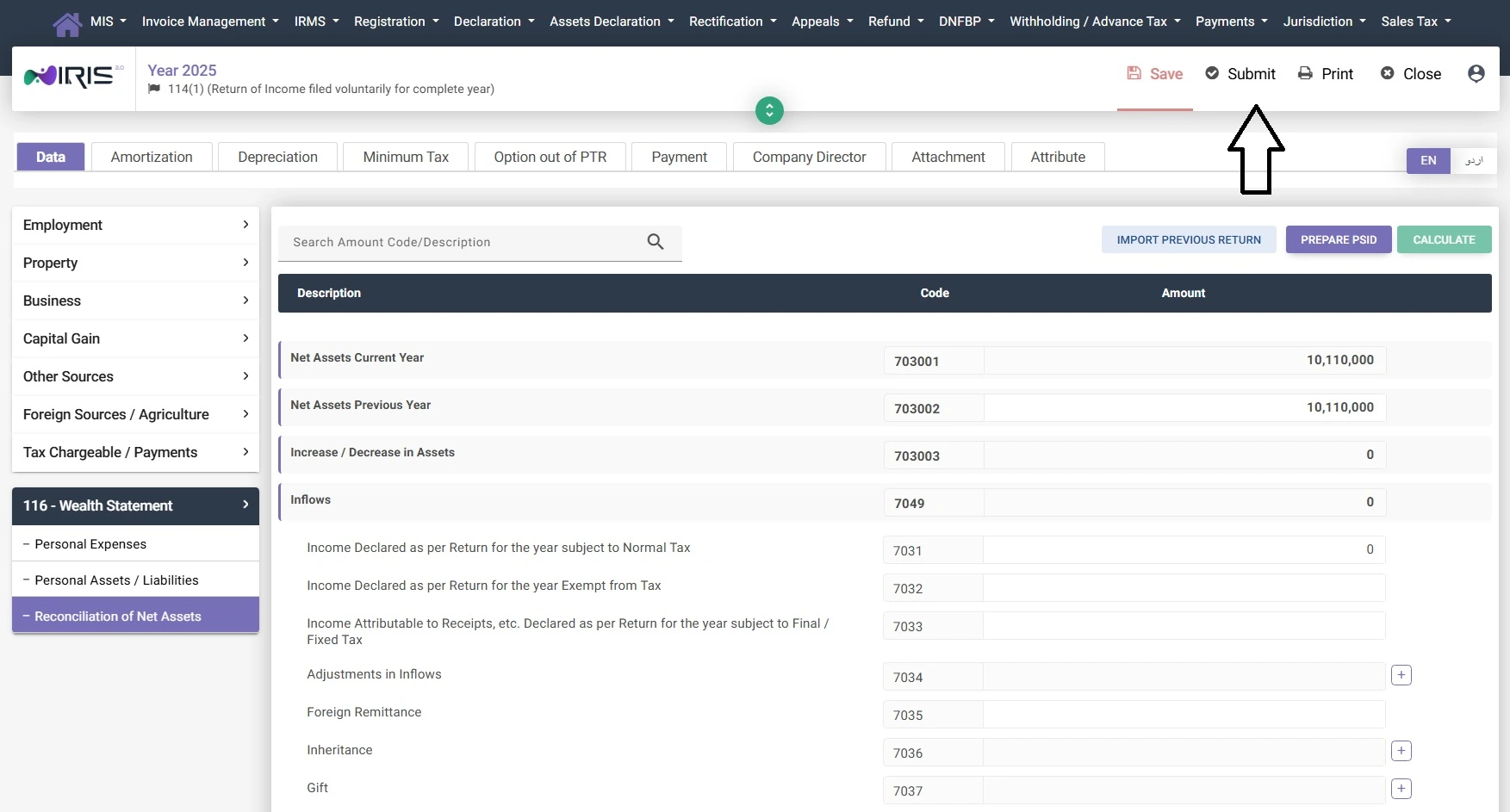
Step 7 — Calculate, Save and Submit
Once income, tax deducted and wealth statement details are complete, use the calculate option and review the result. If tax is payable, IRIS may require payment through PSID before successful completion.
Common Filing Mistakes to Avoid
- Choosing the wrong tax year.
- Entering salary figures that do not match the salary certificate.
- Forgetting employer or bank withholding tax.
- Leaving bank accounts, vehicles or property out of the wealth statement.
- Using estimated figures without support.
- Submitting before the wealth statement reconciles.
- Using unofficial websites instead of FBR and IRIS.
What Happens After Filing?
After submission, save the acknowledgement and return copy for your records. Your Active Taxpayer List status may take time to update after successful filing and payment verification.
Keep your salary certificate, bank records, tax payment challans, withholding certificates and acknowledgement safely in case you need them later. FBR's current guidance says taxable persons should retain income-tax-return records for six years.
FAQs About Filing Tax Return in Pakistan
Is NTN required before filing?
Many individuals use CNIC-based registration, while NTN may already be linked with the taxpayer profile. Check your IRIS registration details before filing.
Can salaried persons file themselves?
Yes. Salaried persons can file themselves if their salary certificate, withholding tax records and wealth details are clear.
What if my wealth statement does not reconcile?
Resolve any unreconciled amount before submission by checking income, assets, liabilities, expenses, gifts, remittances and other inflows or outflows against your records.
Can I revise my return later?
FBR states that an income tax return can generally be revised within five years to correct an omission or wrong statement, through the IRIS revision process. A wealth statement has separate revision treatment, so check the current FBR instructions before changing it.
How long does ATL activation take?
ATL status may take some time to update after filing and payment processing. Always verify through official FBR resources.
Official FBR Filing Guidance
Use these official pages to confirm the live IRIS workflow, successful submission status, revision rules, and record-keeping requirements.
Need Help Filing Your Return?
Pakistan Taxes can help you understand salary tax, filer status, IRIS basics, wealth statement issues and tax return filing steps.